How To Open a PDF File
When you have a pdf file, there are many applications to open it. Most of these days, PDF readers are of not much importance if the main function is just to open the documents. Every version of a modern browser has an inbuilt reader. However, for a more advanced usage like digital signatures, form filling, annotations, etc. you need the dedicated PDF reader software.
The following are the most commonly available PDF readers:
- Adobe Acrobat Reader DC
- SumatraPDF
- Nitro Free PDF Reader
- Foxit Reader
- Google Drive
- Web Browsers: Chrome, Firefox, Edge
- Slim PDF
- Javelin PDF reader
- PDF-XChange Editor
- MuPDF
Note: Microsoft provides a built-in program to open PDF files (in latest Windows 8 and 10).
Start listing your Classsifieds for free including pdf ebooks on Sino Soft Classifieds to gain traction online.
Below are the steps to follow when using Adobe Reader (though the steps are generally similar in most of the other applications).
Open a PDF in the application
Start Acrobat and do one of the following:
- Open a file from the Home > Recent view.
- Choose File > Open. In the Open dialog box, select one or more filenames, and click Open. PDF documents usually have the extension .pdf.
Note: If more than one document is open, you can switch between documents by choosing the document name from the Window menu.
Open a PDF from the desktop or within another application
Do one of the following:
- To open a PDF attached to an email message, open the message and double-click the PDF icon.
- To open a PDF linked to an open web page, click the PDF file link. The PDF usually opens in the web browser.
- Double-click the PDF file icon in your file system.
Note: In Mac OS, you sometimes cannot open a PDF created in Windows by double-clicking the icon. Instead, choose File > Open With > Acrobat.
Open a PDF in a web browser
When PDFs open in a web page, they open in Read Mode. Read mode displays the PDF without the menus, panes, or toolbars visible. Near the bottom or top of the window, a floating toolbar appears with basic functionality for viewing document.
- To show the toolbar, roll your cursor near the bottom/top of the window.
- To page through the PDF, use the navigation buttons in the toolbar.
- To close Read mode and display the work area, click the Acrobat icon in the toolbar.
- To disable Read mode within the browser, open the Acrobat or Reader Preferences (in Windows, choose Edit > Preferences, in Mac OS, choose Acrobat / Acrobat Reader > Preferences). Select Internet from the left pane. Deselect Display In Read Mode By Default.
Note: If you have more than one Adobe PDF application on your computer, you can specify which one is used to open PDFs. See the Select Default PDF Handler in General preferences.
About viewing PDFs in a web browser
Options in the web browser control how you view a PDF, either within the browser or directly in Acrobat or Reader. To change the current display behaviour, see the browser documentation on managing add-ons or plug-ins. If you open PDFs in Acrobat outside the browser, you cannot use the preference Allow Fast Web View in a browser.
Because keyboard commands can be mapped to the web browser, some Acrobat shortcuts cannot be available. Similarly, you may need to use the tools and commands in the Acrobat toolbar rather than the browser toolbar or menu bar.
For example, to print a PDF document, use the Print button in the Acrobat toolbar rather than the Print command in the browser. (In Microsoft Internet Explorer, you can choose File > Print, Edit > Copy, and Edit > Find On This Page on the Internet Explorer toolbar.)
Note: Having multiple versions of Acrobat or Adobe Reader installed on the same computer is not recommended. Mixed versions on your system can prevent you from viewing PDFs in a web browser.
Examples include Acrobat XI with Adobe Reader X, or Acrobat 9 with Reader XI, and so on.
Internet preferences
Display In Read Mode By Default
Select to display PDFs in the browser without the menus, panes, or toolbars visible.
Allow Fast Web View
Select to allow page-at-a-time downloading for PDFs that have been saved with Fast Web View enabled. With Fast Web View turned on, a web server can send just the requested page, rather than the entire PDF.
Allow Speculative Downloading In The Background
Choose to allow the browser to continue downloading PDF pages from the web, even after the first page displays.
Connection Speed
Choose a connection speed from the menu. The connection speed helps Acrobat or other media provide a smooth display when content is read on the Internet.
Reopen PDFs From the Last Acrobat Session
Acrobat can automatically reopen PDFs from the last session on launch. To set the preference, do the following:
- In Acrobat, go to Edit > Preferences (Windows), or Acrobat > Preferences (Mac).
- In the left pane, select General, and then select the Open PDFs From Last Session On Acrobat Launch check box.
- Click OK.

Credit: Adobe
Is this blog helpful?
0
0
Popular Posts
No Popular Posts Found
We're sorry what you were looking for. please try another way
Popular Categories
Tags
Related Articles
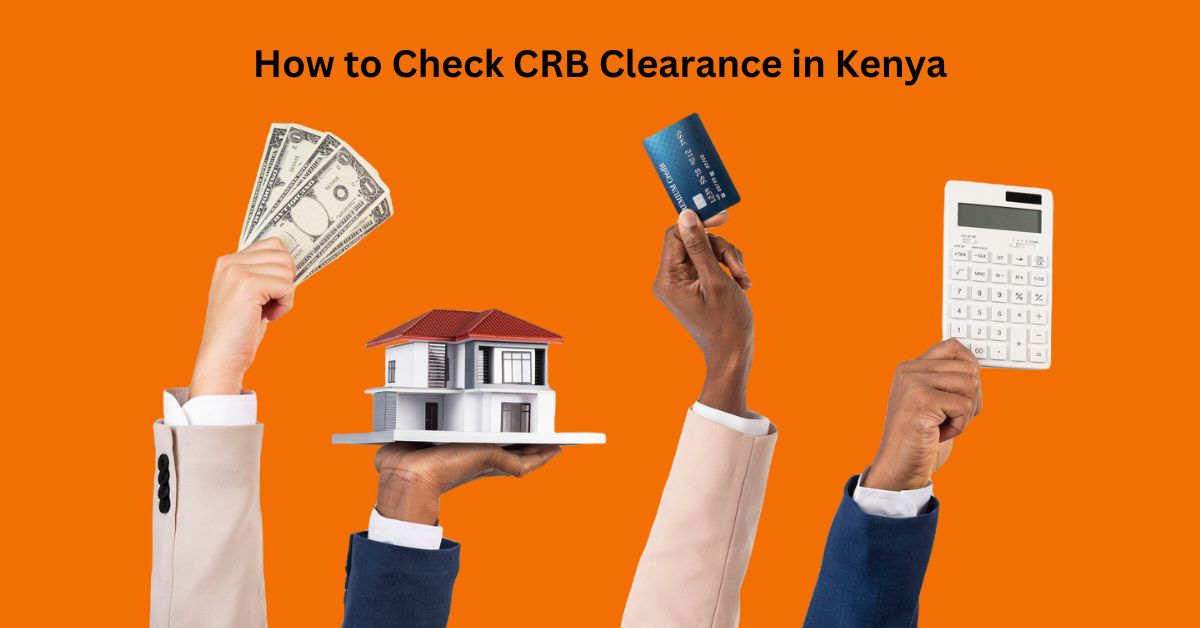
The Ultimate Guide: How to Check CRB Clearance in Kenya
Being successful in Kenya often requires clearing numerous hurdles, and one key challenge for professionals is obtaining CRB clearance. A CRB (Credit Reference Bureau) clearance certificate is essential for various financial transactions and job opportunities in Kenya. Whether you’re applying for a loan, seeking employment, or looking to rent a house, having a clean CRB record</strong
Read Blog
How to File Nil Return
Step By Step Guide On How to File KRA Nil Returns In the year 2022 Filing Tax Returns is mandatory for all Kenyans who have registered with the Kenya Revenue Authority for a KRA PIN. Whether employed or not, one has to file returns to reflect the same. For those not in employment, they are required to file Nil Returns. Below are the steps shows how to file Nil Returns with the Kenya Revenue Authority. Step 1: <a href="https://itax.kra.
Read Blog
How to Measure Your Digital Marketing ROI Like a Pro!
How to Measure Your Digital Marketing ROI Like a Pro! Ever feel like you're drowning in digital marketing data? Numbers flashing on the screen, charts going wonky – it's enough to make anyone want to curl up with a good book (on marketing, of course!). But hold on there, marketing maverick! Measuring your ROI (Return On Investment, fancy way of saying "am I making money?") doesn't have to be scary. This guide will turn you from a data dunce to a ROI rockstar in no time! But before you
Read Blog